> ## Documentation Index
> Fetch the complete documentation index at: https://ngquct-feat-ai-sql-walkthroughs.mintlify.site/llms.txt
> Use this file to discover all available pages before exploring further.
# Managing Connections
> Create, organize, and switch database connections, with health monitoring and startup commands.
# Managing Connections
TablePro connects to 23 databases through its plugin system. This page covers creating and organizing connections. Driver-specific fields and quirks live on each database's own page.
## Supported Databases
| Database | Default port | SSH tunnel | SSL/TLS | Cloudflare Tunnel | Cloud SQL Proxy | SOCKS Proxy |
| -------------------------------------------- | ------------ | ---------- | ------- | ----------------- | --------------- | ----------- |
| [MySQL](/databases/mysql) | 3306 | Yes | Yes | Yes | Yes | Yes |
| [MariaDB](/databases/mariadb) | 3306 | Yes | Yes | Yes | No | Yes |
| [PostgreSQL](/databases/postgresql) | 5432 | Yes | Yes | Yes | Yes | Yes |
| [Amazon Redshift](/databases/redshift) | 5439 | Yes | Yes | Yes | No | Yes |
| [CockroachDB](/databases/cockroachdb) | 26257 | Yes | Yes | Yes | No | Yes |
| [PGlite](/databases/pglite) | 5432 | No | No | No | No | No |
| [Microsoft SQL Server](/databases/mssql) | 1433 | Yes | Yes | Yes | Yes | Yes |
| [Oracle](/databases/oracle) | 1521 | Yes | Yes | Yes | No | Yes |
| [ClickHouse](/databases/clickhouse) | 8123 | Yes | Yes | Yes | No | Yes |
| [MongoDB](/databases/mongodb) | 27017 | Yes | Yes | Yes | No | Yes |
| [Redis](/databases/redis) | 6379 | Yes | Yes | Yes | No | Yes |
| [Cassandra / ScyllaDB](/databases/cassandra) | 9042 | Yes | Yes | Yes | No | Yes |
| [etcd](/databases/etcd) | 2379 | Yes | Yes | Yes | No | Yes |
| [SurrealDB](/databases/surrealdb) | 8000 | Yes | Yes | Yes | No | Yes |
| [Elasticsearch](/databases/elasticsearch) | 9200 | No | Yes | No | No | No |
| [Snowflake](/databases/snowflake) | 443 | No | No | No | No | No |
| [SQLite](/databases/sqlite) | File | No | No | No | No | No |
| [DuckDB](/databases/duckdb) | File | No | No | No | No | No |
| [Beancount](/databases/beancount) | File | No | No | No | No | No |
| [DynamoDB](/databases/dynamodb) | AWS API | No | No | No | No | No |
| [BigQuery](/databases/bigquery) | Cloud API | No | No | No | No | No |
| [Cloudflare D1](/databases/cloudflare-d1) | Cloud API | No | No | No | No | No |
| [libSQL / Turso](/databases/libsql) | URL | No | No | No | No | No |
Transport details: [SSH Tunneling](/databases/ssh-tunneling), [SSL/TLS](/features/ssl), [Cloudflare Tunnel](/databases/cloudflare-tunnel), [Cloud SQL Auth Proxy](/databases/cloud-sql-proxy), [SOCKS Proxy](/databases/socks-proxy).
## Creating a Connection
The Welcome window appears on launch. The left panel has **Create Connection**, **Import from Other App**, and **Try Sample Database**; saved connections are on the right, with a search field in the header (`Cmd+F` focuses it).

 1. Click **Create Connection** (or press `Cmd+N` anywhere)
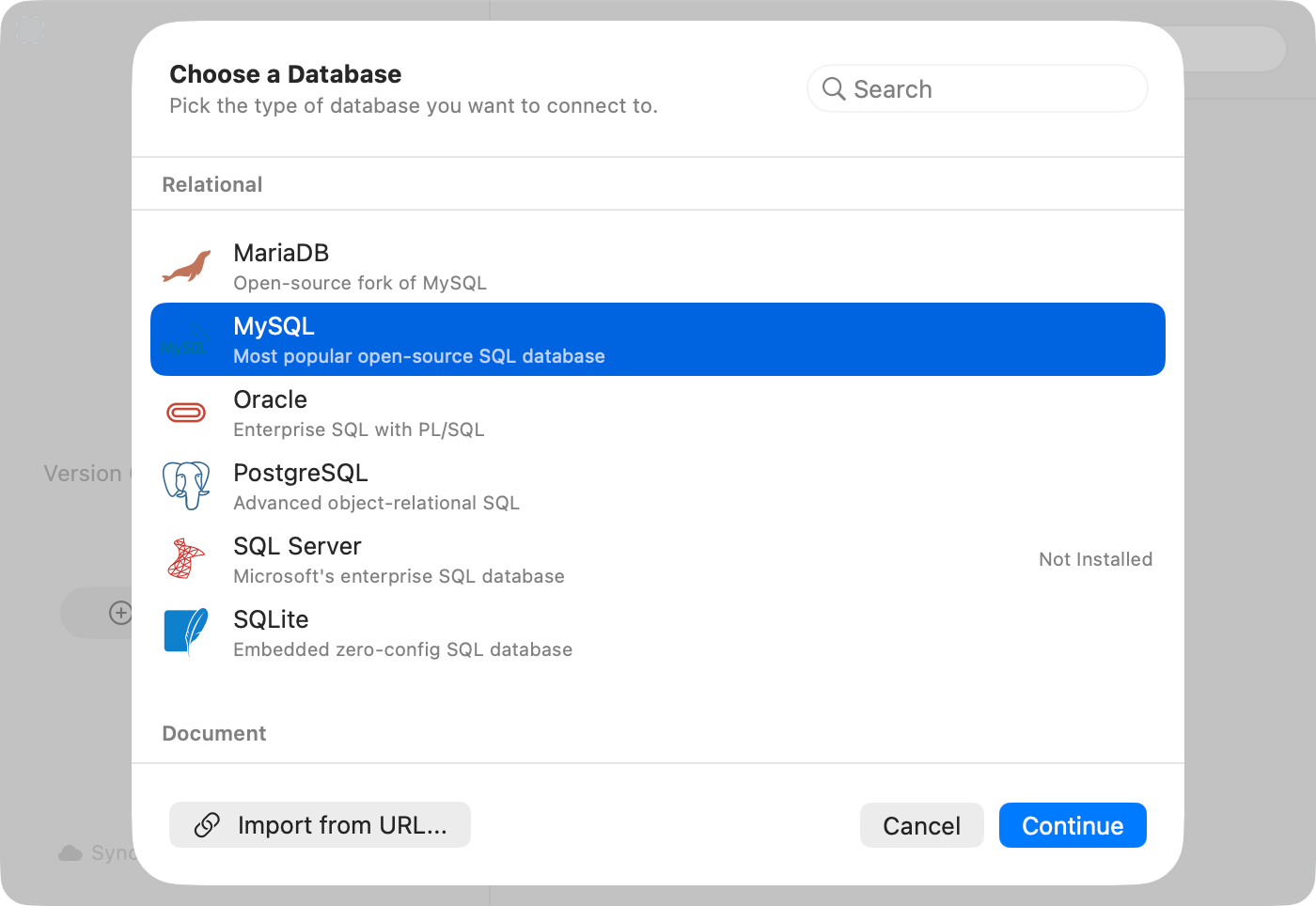
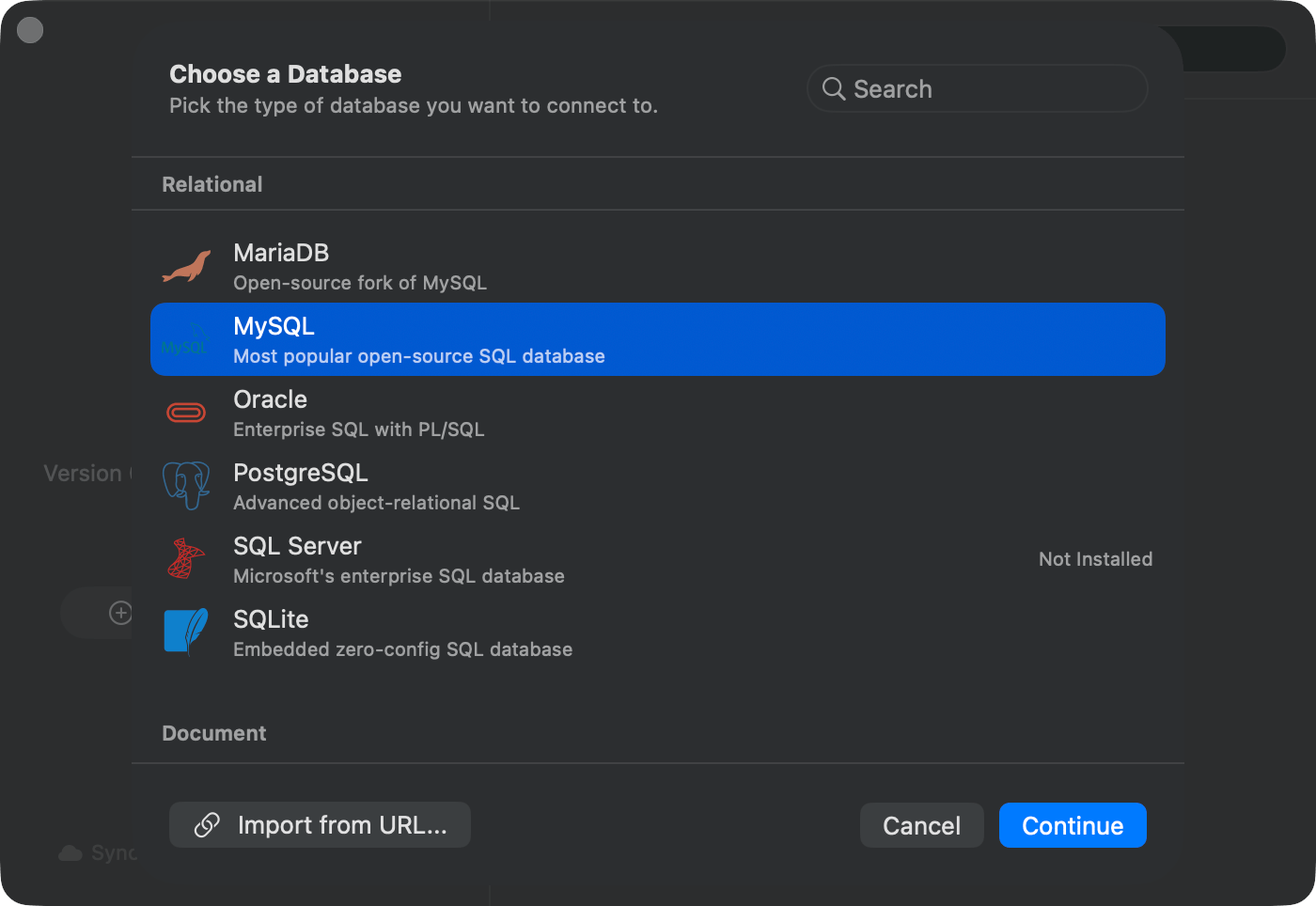
2. Pick a database type from the chooser sheet
3. Fill in connection details
4. Click **Test Connection**. A green **Connected** pill confirms success
5. Click **Save & Connect**
The chooser groups drivers by category: Relational, Document, Key-Value, Analytical, Wide-Column, Cloud Native, Coordination & Config, and Other. Drivers that aren't installed show a **Not Installed** badge; selecting one prompts to install the plugin first. See [Plugins](/features/plugins).
1. Click **Create Connection** (or press `Cmd+N` anywhere)
2. Pick a database type from the chooser sheet
3. Fill in connection details
4. Click **Test Connection**. A green **Connected** pill confirms success
5. Click **Save & Connect**
The chooser groups drivers by category: Relational, Document, Key-Value, Analytical, Wide-Column, Cloud Native, Coordination & Config, and Other. Drivers that aren't installed show a **Not Installed** badge; selecting one prompts to install the plugin first. See [Plugins](/features/plugins).
 ### Import from URL
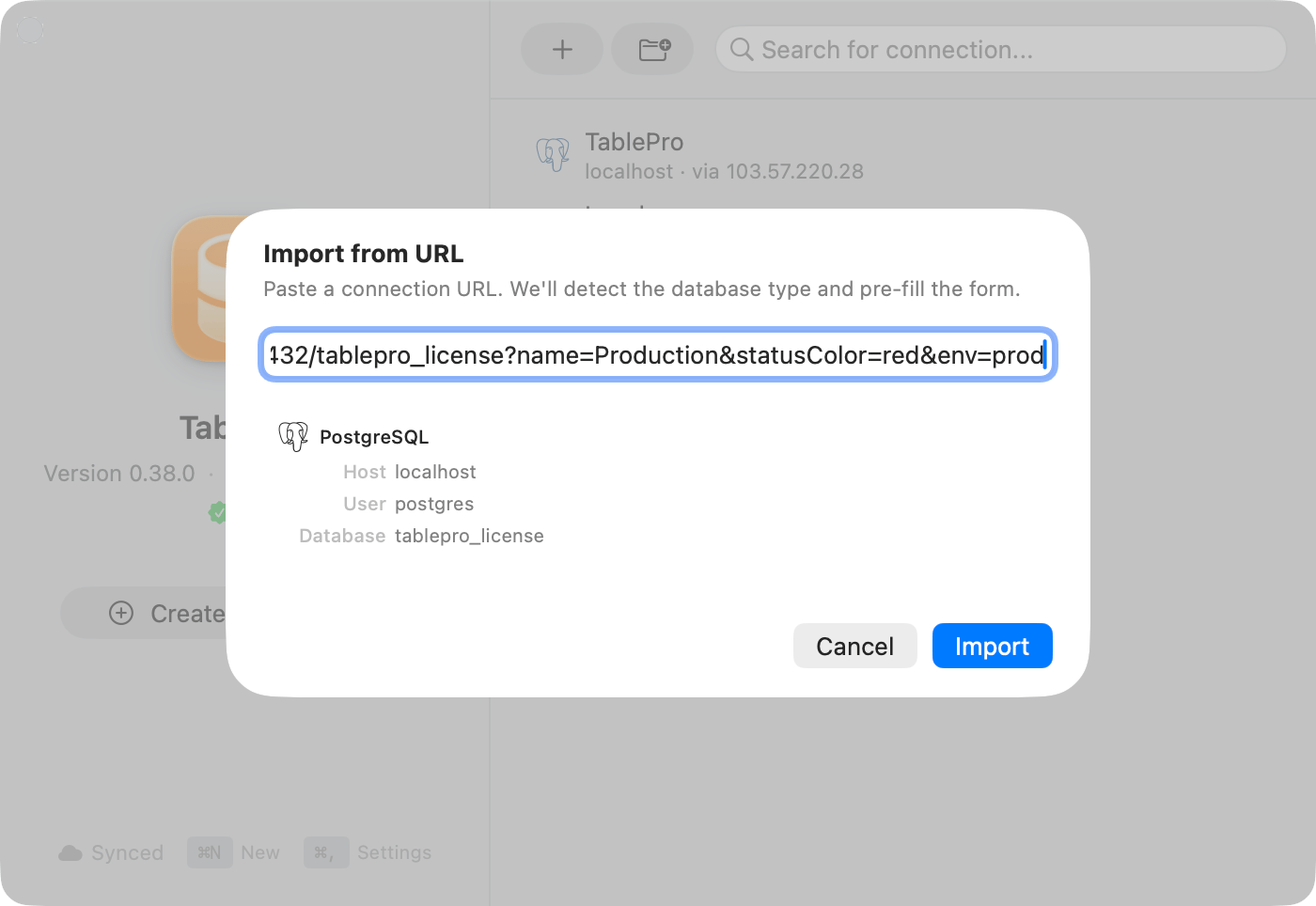
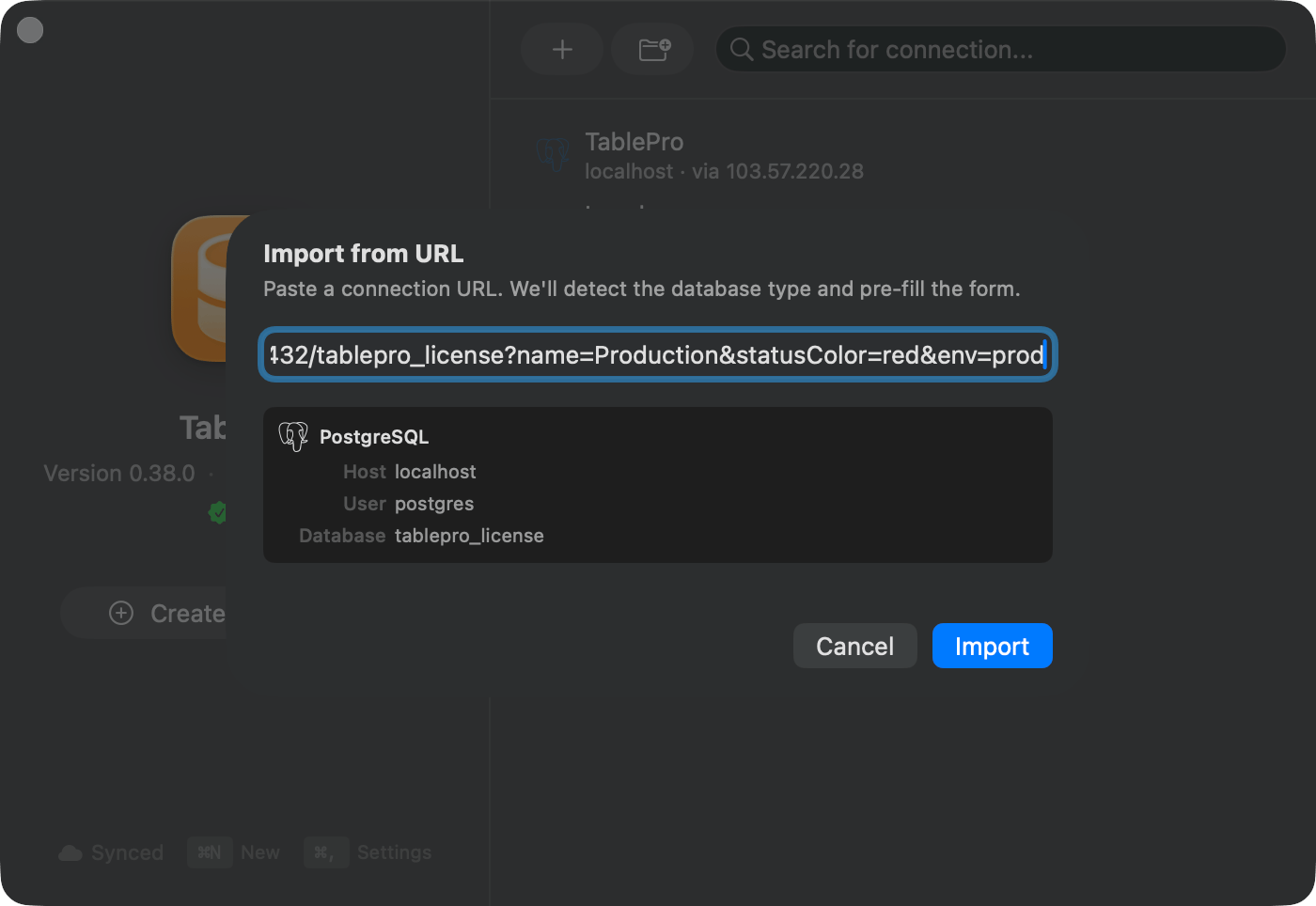
Paste a connection string and let TablePro fill in the form. In the chooser sheet footer, click **Import from URL...**, paste the URL, review the parsed preview, and click **Import**. The form opens pre-filled so you can review and save. See [Connection URL Reference](/databases/connection-urls) for schemes and formats.
### Import from URL
Paste a connection string and let TablePro fill in the form. In the chooser sheet footer, click **Import from URL...**, paste the URL, review the parsed preview, and click **Import**. The form opens pre-filled so you can review and save. See [Connection URL Reference](/databases/connection-urls) for schemes and formats.
 Special characters in passwords (`@`, `#`, `%`) need percent-encoding. `p@ssword` becomes `p%40ssword`.
### Open a URL Directly
Opening a database URL from a browser or terminal skips the form:
```bash theme={null}
open "postgresql://user:pass@host:5432/dbname"
```
TablePro registers these URL schemes with macOS: `postgresql`, `postgres`, `mysql`, `mariadb`, `sqlite`, `mongodb`, `mongodb+srv`, `redis`, `rediss`, `redshift`, `cockroachdb`, `cockroach`, `mssql`, `sqlserver`, `oracle`, `clickhouse`, `ch`, `cassandra`, `cql`, `scylladb`, `scylla`, `duckdb`, `etcd`, `etcds`, `d1`, `libsql`, and `surrealdb`.
What happens on open:
* A confirmation alert shows the connection target before anything connects. For loopback hosts you can pick **Always Allow**, which trusts that exact combination of type, host, database, username, and the URL's `name` parameter for future opens
* If a saved connection matches the host, port, database, and username, TablePro reuses it. Otherwise it creates a temporary session that is not added to your connection list
* The URL password stays in memory for the session. It is never written to the Keychain
* If the connection has a pre-connect script, TablePro shows the script and asks before running it
* URLs can target a table or apply a filter via query parameters; filters also require confirmation. See [Connection URL Reference](/databases/connection-urls)
## Connection Form
The form is a sidebar with up to nine panes. Tunnel and SSL panes appear only for drivers that support them (see the matrix above). A warning triangle on a sidebar item marks missing required fields.
| Pane | Contents |
| ------------------------ | ---------------------------------------------------------------------------------------------------------------- |
| **General** | Name, host, port, database, credentials, Test Connection |
| **SSH Tunnel** | Reach databases behind a bastion host. See [SSH Tunneling](/databases/ssh-tunneling) |
| **Cloudflare Tunnel** | Connect through `cloudflared`. See [Cloudflare Tunnel](/databases/cloudflare-tunnel) |
| **Cloud SQL Auth Proxy** | Google Cloud SQL proxy for MySQL, PostgreSQL, SQL Server. See [Cloud SQL Auth Proxy](/databases/cloud-sql-proxy) |
| **SOCKS Proxy** | Route the connection through a SOCKS5 proxy. See [SOCKS Proxy](/databases/socks-proxy) |
| **SSL/TLS** | Encryption mode and certificates. See [SSL/TLS](/features/ssl) |
| **Customization** | Color, tags, group, Safe Mode |
| **Advanced** | Startup commands, pre-connect script, external access, plugin-specific fields |
| **AI Rules** | Per-connection guidance the AI assistant sees on every chat turn. See [AI Assistant](/features/ai-assistant) |
Special characters in passwords (`@`, `#`, `%`) need percent-encoding. `p@ssword` becomes `p%40ssword`.
### Open a URL Directly
Opening a database URL from a browser or terminal skips the form:
```bash theme={null}
open "postgresql://user:pass@host:5432/dbname"
```
TablePro registers these URL schemes with macOS: `postgresql`, `postgres`, `mysql`, `mariadb`, `sqlite`, `mongodb`, `mongodb+srv`, `redis`, `rediss`, `redshift`, `cockroachdb`, `cockroach`, `mssql`, `sqlserver`, `oracle`, `clickhouse`, `ch`, `cassandra`, `cql`, `scylladb`, `scylla`, `duckdb`, `etcd`, `etcds`, `d1`, `libsql`, and `surrealdb`.
What happens on open:
* A confirmation alert shows the connection target before anything connects. For loopback hosts you can pick **Always Allow**, which trusts that exact combination of type, host, database, username, and the URL's `name` parameter for future opens
* If a saved connection matches the host, port, database, and username, TablePro reuses it. Otherwise it creates a temporary session that is not added to your connection list
* The URL password stays in memory for the session. It is never written to the Keychain
* If the connection has a pre-connect script, TablePro shows the script and asks before running it
* URLs can target a table or apply a filter via query parameters; filters also require confirmation. See [Connection URL Reference](/databases/connection-urls)
## Connection Form
The form is a sidebar with up to nine panes. Tunnel and SSL panes appear only for drivers that support them (see the matrix above). A warning triangle on a sidebar item marks missing required fields.
| Pane | Contents |
| ------------------------ | ---------------------------------------------------------------------------------------------------------------- |
| **General** | Name, host, port, database, credentials, Test Connection |
| **SSH Tunnel** | Reach databases behind a bastion host. See [SSH Tunneling](/databases/ssh-tunneling) |
| **Cloudflare Tunnel** | Connect through `cloudflared`. See [Cloudflare Tunnel](/databases/cloudflare-tunnel) |
| **Cloud SQL Auth Proxy** | Google Cloud SQL proxy for MySQL, PostgreSQL, SQL Server. See [Cloud SQL Auth Proxy](/databases/cloud-sql-proxy) |
| **SOCKS Proxy** | Route the connection through a SOCKS5 proxy. See [SOCKS Proxy](/databases/socks-proxy) |
| **SSL/TLS** | Encryption mode and certificates. See [SSL/TLS](/features/ssl) |
| **Customization** | Color, tags, group, Safe Mode |
| **Advanced** | Startup commands, pre-connect script, external access, plugin-specific fields |
| **AI Rules** | Per-connection guidance the AI assistant sees on every chat turn. See [AI Assistant](/features/ai-assistant) |
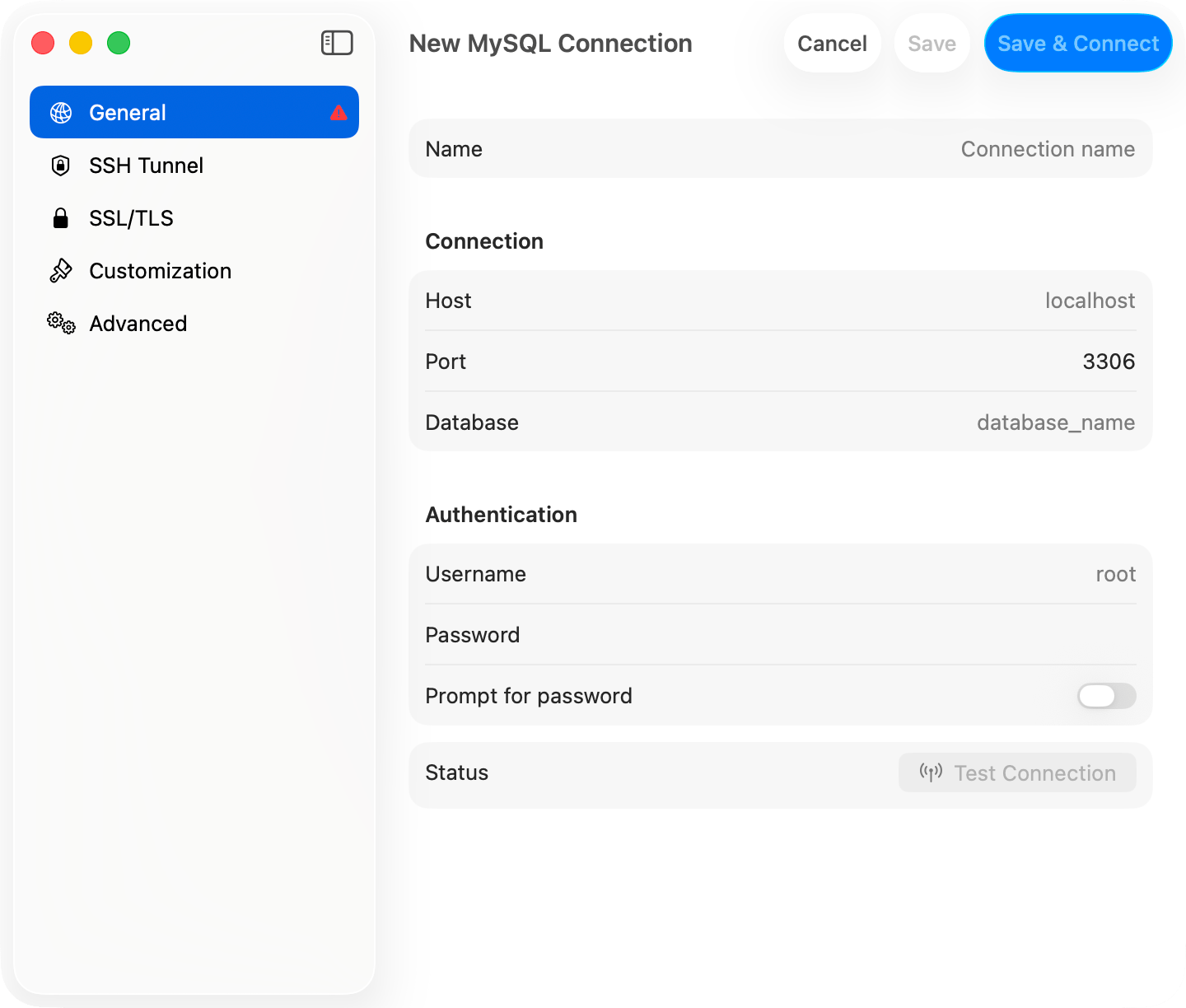
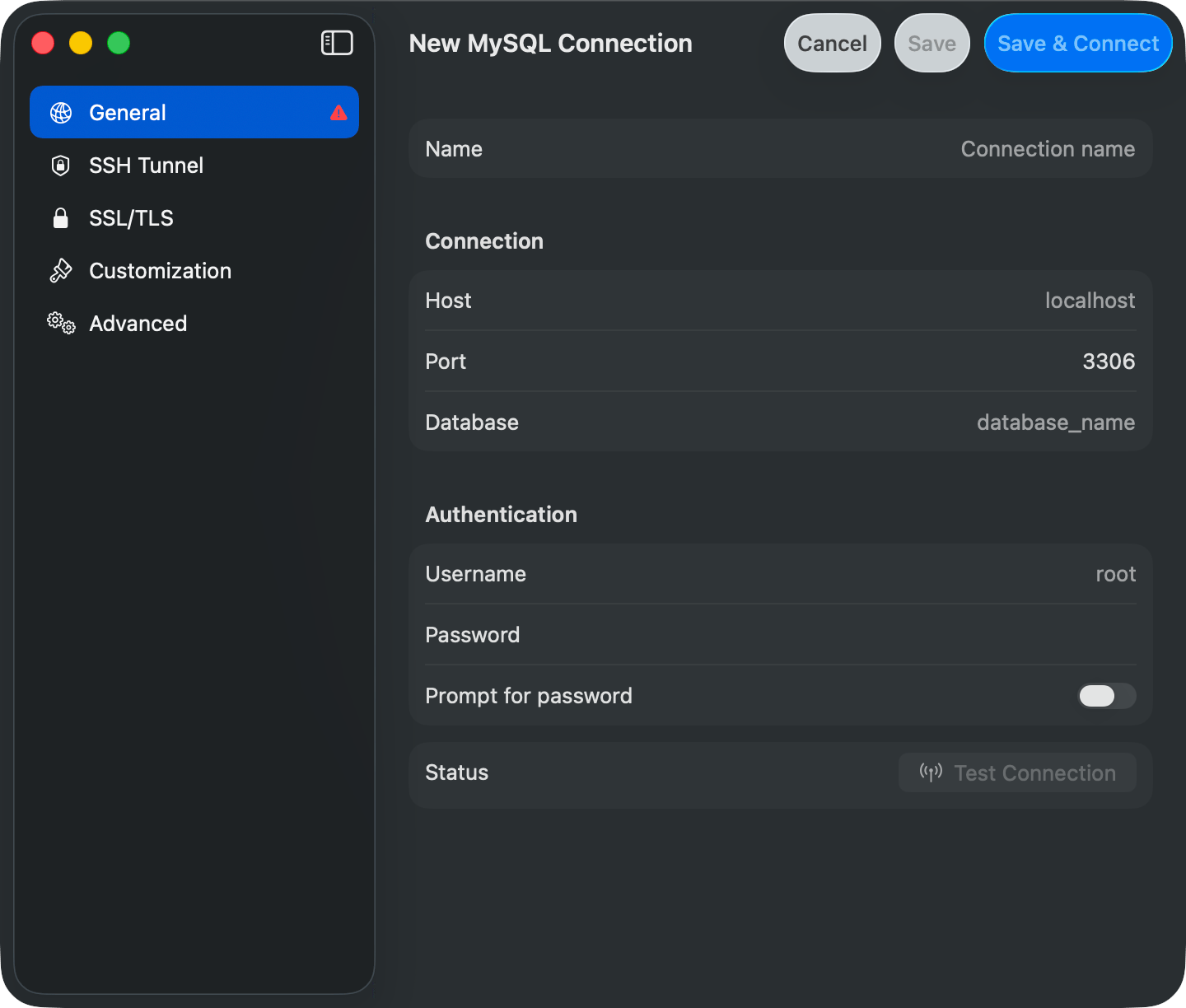 ### General
| Field | Description |
| ----------------------- | ------------------------------------------------------------------------- |
| **Name** | Display name in the connection list |
| **Host** | Server address. Defaults to `localhost` |
| **Port** | Pre-filled per database type |
| **Database** | Default database. Optional for service-level access |
| **Username** | Optional and not pre-filled. Empty means the driver's own default |
| **Password** | Stored in the macOS Keychain |
| **Prompt for password** | Skip saving. TablePro asks on every connect |
| **Use Password File** | PostgreSQL, Redshift, and CockroachDB. Reads credentials from `~/.pgpass` |
File-based drivers (SQLite, DuckDB, Beancount) replace the host section with a file path picker.
### Advanced
| Field | Description |
| ---------------------- | -------------------------------------------------------------------------------------------------------------------------------- |
| **Startup Commands** | SQL that runs after every connect. See [Startup Commands](#startup-commands) |
| **Pre-Connect Script** | Shell script run before connecting. A non-zero exit aborts |
| **AI Policy** | Per-connection override for in-app AI agents |
| **External Clients** | Access level for MCP clients: **Blocked**, **Read Only** (default), or **Read & Write**. See [External API](/external-api/index) |
| **Local only** | Excludes this connection from iCloud Sync. See [iCloud Sync](/features/icloud-sync) |
| **Plugin fields** | Driver-specific options like MongoDB `replicaSet` |
## Organizing Connections
The **Customization** pane sets a color, tags, and a group per connection. The color tints the toolbar when connected, so production and development are easy to tell apart.
### General
| Field | Description |
| ----------------------- | ------------------------------------------------------------------------- |
| **Name** | Display name in the connection list |
| **Host** | Server address. Defaults to `localhost` |
| **Port** | Pre-filled per database type |
| **Database** | Default database. Optional for service-level access |
| **Username** | Optional and not pre-filled. Empty means the driver's own default |
| **Password** | Stored in the macOS Keychain |
| **Prompt for password** | Skip saving. TablePro asks on every connect |
| **Use Password File** | PostgreSQL, Redshift, and CockroachDB. Reads credentials from `~/.pgpass` |
File-based drivers (SQLite, DuckDB, Beancount) replace the host section with a file path picker.
### Advanced
| Field | Description |
| ---------------------- | -------------------------------------------------------------------------------------------------------------------------------- |
| **Startup Commands** | SQL that runs after every connect. See [Startup Commands](#startup-commands) |
| **Pre-Connect Script** | Shell script run before connecting. A non-zero exit aborts |
| **AI Policy** | Per-connection override for in-app AI agents |
| **External Clients** | Access level for MCP clients: **Blocked**, **Read Only** (default), or **Read & Write**. See [External API](/external-api/index) |
| **Local only** | Excludes this connection from iCloud Sync. See [iCloud Sync](/features/icloud-sync) |
| **Plugin fields** | Driver-specific options like MongoDB `replicaSet` |
## Organizing Connections
The **Customization** pane sets a color, tags, and a group per connection. The color tints the toolbar when connected, so production and development are easy to tell apart.
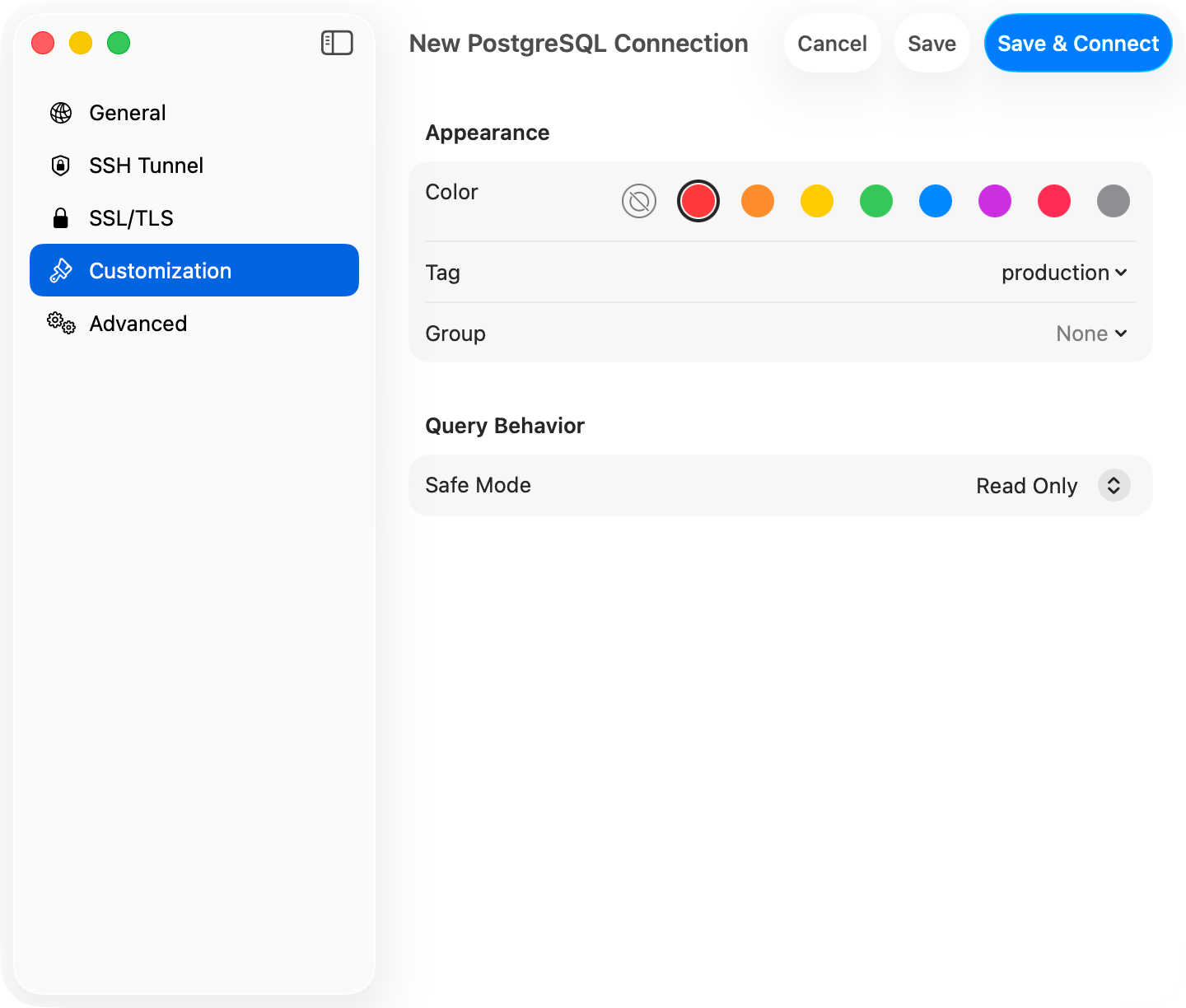
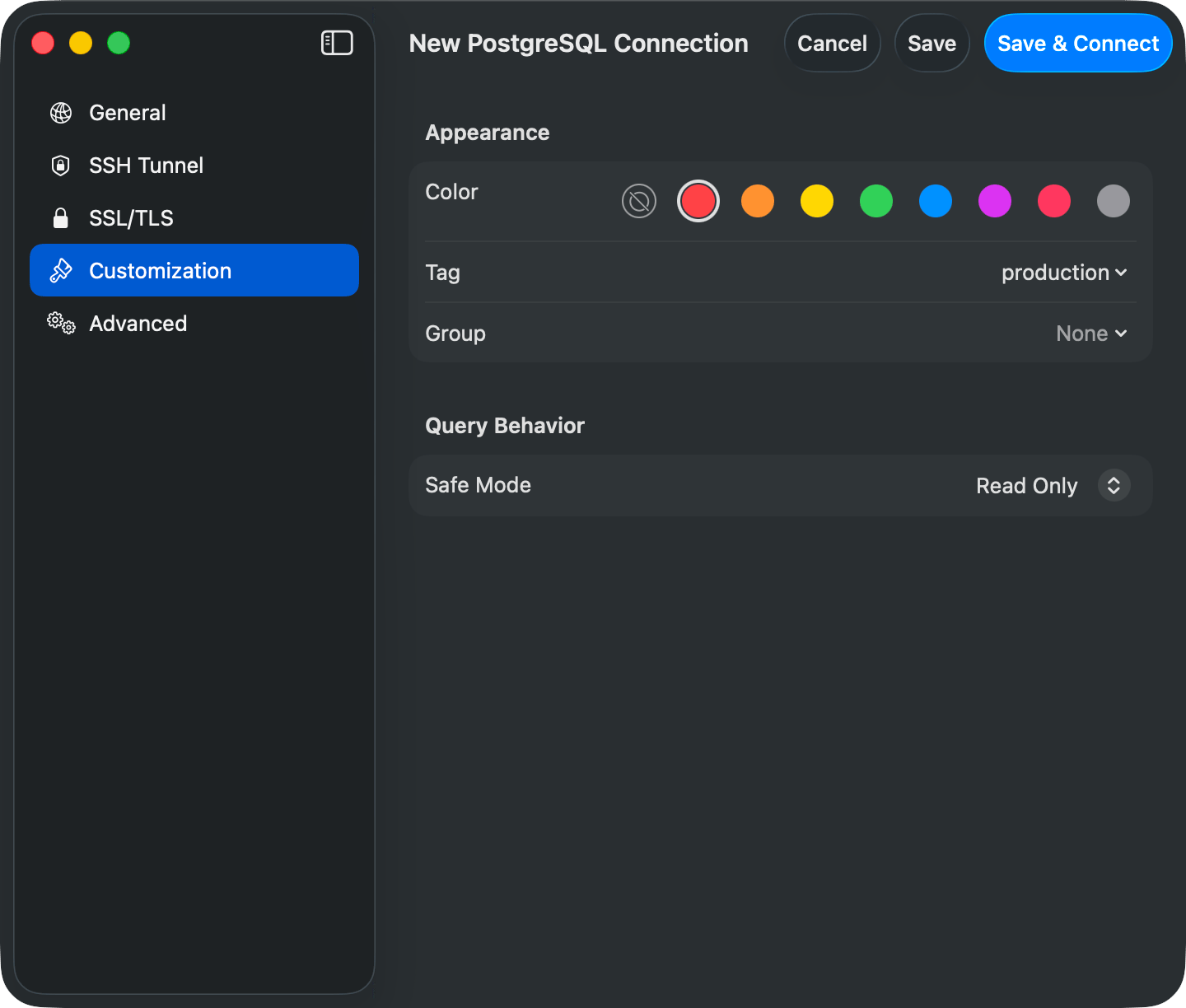 Red for production, green for development. Set Safe Mode to **Read Only** on production to block accidental writes. See [Safe Mode](/features/safe-mode).
### Groups
Groups are folders in the connection list, nested up to 3 levels. Right-click empty space or a group to create, move, or delete one. Deleting a group removes its subgroups; the connections inside are ungrouped, not deleted.
### Tags
A connection can carry multiple tags, each with a name and color. When any connection has tags, a filter bar appears above the welcome list with one pill per tag. Click pills to filter; with two or more selected, a **Match Any** / **Match All** menu switches between OR and AND matching, and **Clear** resets the filter.
### Favorites
Hover a connection row and click the star, or right-click and choose **Add to Favorites**. Favorites gather in a section at the top of the list, sorted alphabetically, while the connection stays in its group below. Favorites sync through iCloud unless the connection is marked local only.
## Switching Connections and Databases
* **Switch Connection** (`Cmd+Control+C`): a toolbar popover lists active sessions and saved connections. Type to filter, arrow keys to move, Return to switch
* **Open Database** (`Cmd+K`): switch databases on the same server without reconnecting
Red for production, green for development. Set Safe Mode to **Read Only** on production to block accidental writes. See [Safe Mode](/features/safe-mode).
### Groups
Groups are folders in the connection list, nested up to 3 levels. Right-click empty space or a group to create, move, or delete one. Deleting a group removes its subgroups; the connections inside are ungrouped, not deleted.
### Tags
A connection can carry multiple tags, each with a name and color. When any connection has tags, a filter bar appears above the welcome list with one pill per tag. Click pills to filter; with two or more selected, a **Match Any** / **Match All** menu switches between OR and AND matching, and **Clear** resets the filter.
### Favorites
Hover a connection row and click the star, or right-click and choose **Add to Favorites**. Favorites gather in a section at the top of the list, sorted alphabetically, while the connection stays in its group below. Favorites sync through iCloud unless the connection is marked local only.
## Switching Connections and Databases
* **Switch Connection** (`Cmd+Control+C`): a toolbar popover lists active sessions and saved connections. Type to filter, arrow keys to move, Return to switch
* **Open Database** (`Cmd+K`): switch databases on the same server without reconnecting
 Leave the **Database** field empty when creating a connection to browse every database your user can access (MySQL, MariaDB, MongoDB, SQL Server, ClickHouse). PostgreSQL and Redshift need an initial database; connect to `postgres` (Redshift: `dev`) and switch with `Cmd+K`.
When the sidebar is in tree layout, the filter button in the sidebar footer limits the tree to checked databases. The choice is saved per connection.
## Dock Menu
Right-click the TablePro Dock icon and pick a saved connection under **Open Connection**.
## Connection Health Monitoring
TablePro pings every active connection every 30 seconds and skips the ping while one of your queries is running. File-based drivers (SQLite, DuckDB, Beancount) and Snowflake are not monitored.
When a ping fails, TablePro reconnects with exponential backoff: 2s, 4s, 8s, doubling up to a 120-second cap, and keeps retrying until the connection recovers or you close it. Authentication failures stop the retries, since an expired credential never recovers on its own. Reconnecting rebuilds the SSH tunnel if there is one, restores the selected database and schema, and re-runs startup commands. The session shows as connecting while this happens.
## Startup Commands
SQL statements that run after every connect, including auto-reconnects. Configure them in the **Advanced** pane; statements are split on semicolons and newlines and run in order.
```sql theme={null}
SET time_zone = '+00:00';
SET NAMES utf8mb4;
SET search_path TO myschema, public;
```
A failed statement is logged and skipped; the connection still opens.
## Editing, Deleting, and Storage
Right-click a connection to edit or delete it. Changes apply on the next connect; deleting removes the saved settings only.
Connections are stored in `~/Library/Application Support/TablePro/connections.json`. Passwords live in the macOS Keychain, so a copied file restores connections but not passwords.
Leave the **Database** field empty when creating a connection to browse every database your user can access (MySQL, MariaDB, MongoDB, SQL Server, ClickHouse). PostgreSQL and Redshift need an initial database; connect to `postgres` (Redshift: `dev`) and switch with `Cmd+K`.
When the sidebar is in tree layout, the filter button in the sidebar footer limits the tree to checked databases. The choice is saved per connection.
## Dock Menu
Right-click the TablePro Dock icon and pick a saved connection under **Open Connection**.
## Connection Health Monitoring
TablePro pings every active connection every 30 seconds and skips the ping while one of your queries is running. File-based drivers (SQLite, DuckDB, Beancount) and Snowflake are not monitored.
When a ping fails, TablePro reconnects with exponential backoff: 2s, 4s, 8s, doubling up to a 120-second cap, and keeps retrying until the connection recovers or you close it. Authentication failures stop the retries, since an expired credential never recovers on its own. Reconnecting rebuilds the SSH tunnel if there is one, restores the selected database and schema, and re-runs startup commands. The session shows as connecting while this happens.
## Startup Commands
SQL statements that run after every connect, including auto-reconnects. Configure them in the **Advanced** pane; statements are split on semicolons and newlines and run in order.
```sql theme={null}
SET time_zone = '+00:00';
SET NAMES utf8mb4;
SET search_path TO myschema, public;
```
A failed statement is logged and skipped; the connection still opens.
## Editing, Deleting, and Storage
Right-click a connection to edit or delete it. Changes apply on the next connect; deleting removes the saved settings only.
Connections are stored in `~/Library/Application Support/TablePro/connections.json`. Passwords live in the macOS Keychain, so a copied file restores connections but not passwords.